
Large Print Puzzles for Seniors: How to Choose Ones That Are Easy on the Eyes
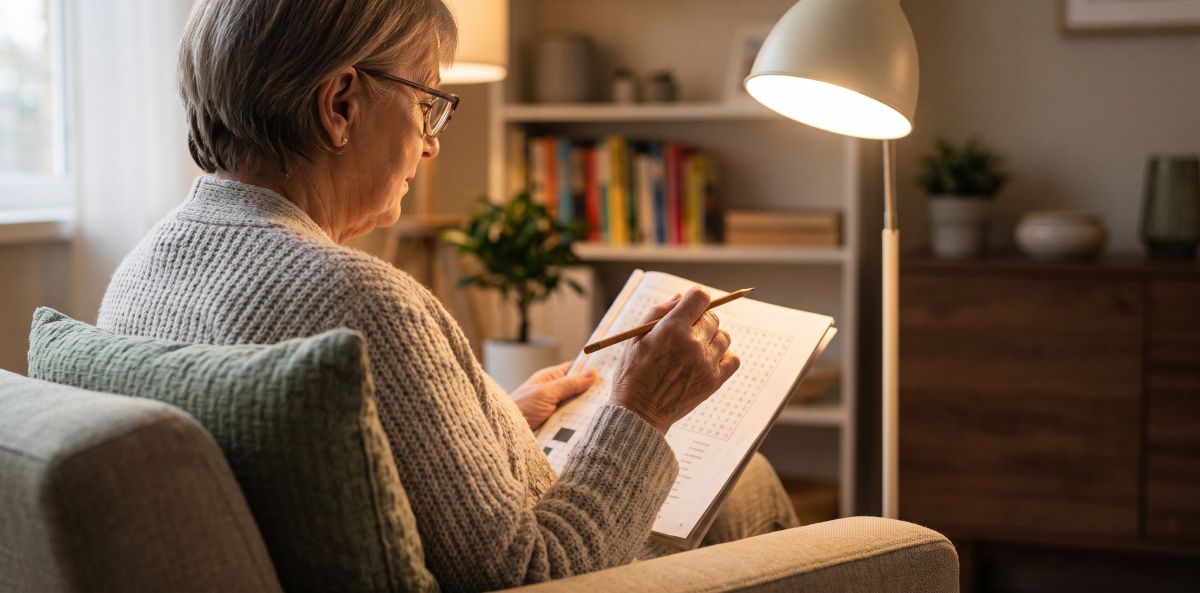
Quick answer: For comfortable puzzles, look for large, plain type, black text on white paper, a matte (not shiny) page and a roomy layout, and add a good task lamp aimed at the page, not at your eyes. The National Council on Aging suggests at least size 14 type for printed materials, with 16 or 18 often better, and a non-serif font. The best test is simple: open a sample page, read it at your normal distance and ask whether you can do it without squinting. If you can’t, the print is too small for you, whatever the cover says. This guide is about comfort and readability, not medical advice.
“Large print” has no single standard on a book cover, and a puzzle can be large in one way and crowded in another. Here is what to check, and how to set up your space.
What does “large print” really mean?
The National Council on Aging (NCOA) recommends at least size 14 for printed materials, and says size 16 or 18 is sometimes even better. It also advises non-serif fonts, which lack decorative strokes. Guidance from the University of Missouri’s geriatric toolkit adds three more points: use dark text on a light background, avoid busy typefaces, ALL CAPITAL LETTERS and italics, and avoid slick, shiny pages, which cause glare.
For puzzles, there is a second question: how large are the grid squares and the letters or digits in them? A word search or Sudoku with large type but a crowded grid can still be tiring. Look for generous space around each puzzle.
A checklist for choosing a large-print puzzle book
| What to check | What to look for |
|---|---|
| Type size | Large, clear type; roughly size 14 or bigger for instructions and clues, as a starting point |
| Typeface | Plain, non-serif, no decorative fonts, no italics |
| Contrast | Black ink on white or off-white paper |
| Paper | Matte, not glossy, to reduce glare |
| Grid size | Big squares, a few puzzles per page, white space around each |
| Instructions | Short sentences, bold key words |
| Answers | Printed clearly at the back, in the same large type |
| Difficulty | Starts easy, with variety (see our guide to choosing a puzzle book) |
| Binding | Lies flat so you do not have to hold the page open |
Based on NCOA and the University of Missouri toolkit for the type, contrast and paper rows; the other rows are our practical suggestions.
Set up your lighting and contrast
The same puzzle can feel easier or harder depending on where you sit.
- Use a task lamp. NCOA suggests a task lamp for reading and crafts, noting that moving the light closer increases brightness. An adjustable gooseneck lamp lets you aim it at the page (Enhanced Vision).
- Aim the light at the page, not at your eyes. The American Foundation for the Blind (AFB) advises aiming light at the work being done.
- Control glare. AFB suggests blinds or sheer curtains to control daylight. NCOA notes that squinting may mean there is too much light: close the blinds or turn your back to the window.
- Keep high contrast. Black on white works best (NCOA). A white page on a dark tray or mat helps it stand out.
- Use a soft, dark pencil. This is our suggestion: it shows up well on white paper and you can erase mistakes.
- Take breaks. A short break every 10 to 15 minutes is our suggestion, not a rule.
If you notice that your vision has changed or that your eyes often feel uncomfortable, please talk to an eye care professional. Puzzles are a pastime, not a treatment.
Test before you buy
- Read the sample page. Many books have a preview online, and our free samples let you try pages first.
- Check it at your normal reading distance with your usual glasses and lamp.
- Compare two books side by side. The difference in type and spacing is often obvious.
- Decide between paper and screen. An e-reader or tablet lets you enlarge text and set the font size (Enhanced Vision), but many people simply prefer a paperback for puzzles.
Not sure which puzzle type to start with? Our article on word search vs. Sudoku compares them, and the guide to choosing a puzzle book for aging parents goes through difficulty and themes. For pencil comfort and steadier hands, see our piece on fine motor drills for older adults.
A puzzle book to match
Sharp Mind is a recreational puzzle and memory series for adults 60+. Its six kinds of exercise include word searches, true-or-false questions, proverbs and memory pages, all in large, easy-to-read type with every solution printed at the back of the book. Vol. 3: Memory and Focus Exercises is the basic-training volume with 150 pages, and Vol. 1: With a Touch of Nostalgia is built around memories. The series is meant for enjoyment and makes no treatment claims. You can look at the whole Sharp Mind series and try sample pages in our free samples.
Disclosure: Alex Herek is the publisher of these books. You can find all titles on the Amazon author page.
Frequently asked questions
What font size is large print for seniors? There is no single standard for puzzle books. NCOA recommends at least size 14 for printed materials, with 16 or 18 sometimes better, and non-serif fonts. Check a sample page yourself.
Is glossy paper bad for puzzles? Shiny pages can cause glare, so matte paper is usually more comfortable (University of Missouri geriatric toolkit).
What lighting is best for doing puzzles? A task lamp aimed at the page, not at your eyes, with daylight controlled by blinds or curtains to avoid glare.
Are puzzles on a tablet easier on the eyes? It depends on the person. A tablet lets you enlarge text and adjust brightness, but some people prefer paper for puzzles. Try both.
Can large print puzzles improve eyesight? No. They only make puzzles more comfortable to read. If you are concerned about your vision, talk to an eye care professional.
How can I try a book before buying? Look for a preview online or use a free sample, such as the pages in our free samples.
Key takeaways
- Look for large, plain type, black on white, matte paper and generous spacing.
- NCOA suggests size 14 or more, with 16 or 18 often better.
- Aim a task lamp at the page and control glare from windows.
- Test a sample page at your normal reading distance before you buy.
- This is about comfort, not treatment.
Sources
- How to make activities more welcoming for older adults with low vision, National Council on Aging (type size, fonts, contrast, task lamp, glare).
- Creating a functional environment for older people with vision problems, American Foundation for the Blind (lighting, glare, contrast).
- Low vision print guidelines, University of Missouri Geriatric Toolkit (dark on light, avoid italics and capitals, avoid shiny paper).
- 5 reading tips for those with macular degeneration, Enhanced Vision (gooseneck lamp, line spacing and margins, enlarging text).
Haven't tried the series yet?
Grab a free sample from Left Hand Brain Training for Seniors.